

Cable Routing: The Complete Guide to Clean Safe Organized Cable Routing
What is cable routing and why it matters
Cable routing is the process of planning and executing the path that electrical and data cables follow from source to device. Good cable routing improves safety, performance and the look of any installation. Whether the task is inside a home office a commercial rack or a vehicle proper cable routing reduces interference prevents overheating and makes maintenance faster. For hands on fixing tips and a wide set of repair categories visit fixolix.com where guides and tools are easy to find.
Benefits of professional cable routing
There are clear gains from doing cable routing right. First safety: tidy runs keep power and low voltage lines separated and reduce trip hazards. Second reliability: adherence to bend radius and cable length best practices preserves signal quality for networking and audio video setups. Third serviceability: labeled and organized runs let technicians identify and change connections fast without disrupting other systems. Fourth aesthetics: neat pathways in desks and along walls look better and increase property value.
Planning your cable routing project
Good cable routing begins on paper. Start by mapping devices endpoints and power sources. Note distances and plan routes that avoid heat sources water pipes and moving parts. Prioritize separation of power and signal runs to lower the chance of electromagnetic interference. Choose routes that use existing conduit trays or wall cavities to hide cables when possible. Consider future growth by reserving extra capacity in trays and conduit so new runs can be added without ripping out shielding or drywall.
Key planning steps include:
- Inventory: list each cable type length and connector.
- Path mapping: sketch start stop and intermediate points.
- Protection: identify where grommets bushings or conduit will be needed.
- Labeling plan: assign unique labels for ends for fast identification.
Tools and materials for clean cable routing
The right tools speed installation and protect cables. A good kit typically includes cable ties re usable straps cable clips adhesive mounts fish tape or pull string a cable tester and a set of cutters and strippers. For wall or ceiling runs use conduits raceways or trunking to protect and hide cable bundles. Use rubber grommets when passing cables through metal panels to prevent abrasion. For networking choose shielded or unshielded twisted pair based on your noise environment and use quality plugs and patch panels for reliable connections.
Best practices for different environments
Home installations: Use adhesive raceways or baseboard cable covers to conceal runs. Under desk trays keep power bricks off the floor and improve airflow. Keep power cables separate from coax and network lines by a reasonable distance and avoid running low voltage and line voltage in the same channel.
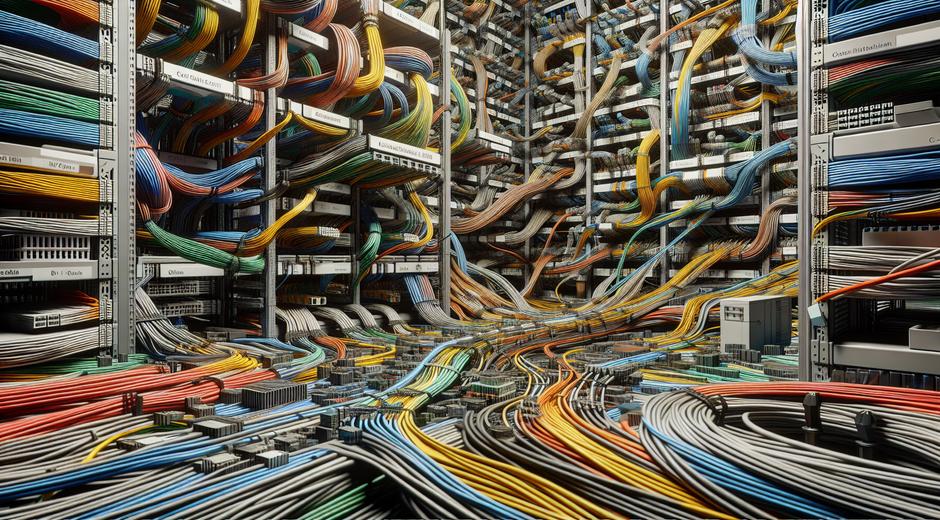
Office and data closet: Use horizontal and vertical cable managers with labeled ports. Color code bundles to match function or floor. Maintain slack loops at panels for service access and keep patch cables plenty long for future rearrangement. Avoid crushing cables under equipment and keep cable bundles supported every fixed interval to reduce stress on connectors.
Automotive and marine: Secure cable runs away from sharp edges exhaust and moving parts. Use heat resistant sleeves where cables pass near engine components and seal entry points to protect against moisture. Routing through grommeted firewalls preserves insulation and prevents chafe.
Cable routing for networking and audio visual systems
For networking plan trunk routes between server rack and outlet zones. Use fiber where long distance or high bandwidth is needed. When mixing power and network runs always maintain recommended separation and cross at right angles when intersection is unavoidable. For audio visual systems maintain separate runs for analog and digital sources and use balanced audio cables to reduce hum and noise pickup. Consider dedicated conduit for critical signal paths to isolate them from electrical interference.
Protecting cable integrity
Respect cable specifications. Avoid tight coils and maintain the minimum bend radius specified by the manufacturer. Keep cable supports close enough to prevent sag but not so tight that they compress the jacket. Use strain relief at connection points to protect terminations from movement or tugging. When routing outdoors choose UV resistant jackets and rated conduit to guard against weather.
Labeling documentation and change control
Label both ends of every cable with readable durable tags. Keep a central diagram or digital record that shows routes labels and endpoints. When changes are made update the record immediately. This reduces time spent troubleshooting and lowers the risk of accidental outages during maintenance. Use a consistent label scheme that includes room device and port numbers to avoid confusion.
Safety code and compliance considerations
Always check local code for allowed routing practices and required separation between power and communications. In many regions certain cable types must be plenum rated for air handling spaces and firestop materials are required where cables pass through rated walls or floors. Hiring a licensed electrician for power modifications ensures compliance and protects insurance coverage. For specialized cosmetic or accessory solutions and curated product picks see curated options at BeautyUpNest.com which offers selections that can help finish visible runs.
Maintenance cleaning and troubleshooting
Scheduled checks keep routing systems healthy. Inspect support points and fasteners for loosening and check for frayed jackets or worn connectors. Use a cable tester to verify continuity and performance on network runs. If you see intermittent issues isolate bundles and test single runs to narrow the source. Replace compromised segments and update documentation to reflect repairs.
Sustainable choices and end of life
When replacing cabling choose options that are easier to recycle and install with minimal waste. Reuse existing conduit and trays where safe and feasible. Label obsolete cables and remove them to reduce clutter. Recycle copper and other metals through certified recyclers to reduce environmental impact.
Final checklist for successful cable routing
Before finishing any project confirm these items: routes are planned and documented supports are secure bend radius rules are met separation requirements are observed and labels exist on each cable end. Test every connection before closing access panels and leave a service loop for future moves. A final walkthrough with stakeholders ensures nothing is overlooked and that the installation meets both functional and aesthetic goals.
Conclusion
Cable routing is a core skill for anyone working in installation maintenance or repair. Thoughtful planning correct material choice and consistent labeling lead to systems that are safe reliable and easy to service. Use the guidance above to create routes that protect performance and reduce future work. For more project guides parts lists and step by step help visit the main resource hub at the site link earlier and explore curated products to complete polished visible runs.